UXSplitView
UXSplitView is two resizable panes with a draggable divider between them,
the sidebar-and-detail layout. The panes are plain container views that a
client fills, and the divider is a thin seam with a wide grab band. Dragging
the divider re-lays the two panes live through the driver’s modal
trackDragStep. The table’s drag-select and the slider use the same blocking
primitive, so the split view works on every backend that implements it.
The layout rule: pane0 is the fixed side (its extent is the divider position), and pane1 flexes to fill the rest. When the window grows, the detail pane grows and the sidebar stays put.
#use <UXKit>Overview
Section titled “Overview”UXSplitView* split = new UXSplitView();split.setDividerPos(160);content.addSubview(split, UXGeom.make(0, 0, 480, 300));split.firstPane().addSubview(sidebar, UXGeom.make(0, 0, 160, 300));split.secondPane().addSubview(detail, UXGeom.make(0, 0, 310, 300));Content in a pane, native controls included, reflows on the next paint,
because a resize re-runs realizeTree with the new frames.
Topics
Section titled “Topics”Orientation · setVertical · isVertical The divider · setDividerPos · dividerPosition · setHoldsLast The panes · firstPane · secondPane
setVertical
Section titled “setVertical”void setVertical(bool v)false (the default): panes side by side, a vertical seam. true:
stacked, a horizontal seam. Set it before the split view joins a tree,
because it decides the initial layout.
isVertical
Section titled “isVertical”bool isVertical(void)The orientation.
setDividerPos
Section titled “setDividerPos”void setDividerPos(i16 p)Moves the seam programmatically (pane0’s extent becomes p) and re-lays
both panes. Dragging clamps to a minimum pane size at both ends; keep the
values you set within the same limits.
dividerPosition
Section titled “dividerPosition”i16 dividerPosition(void)Where the seam sits. An app saves this to restore a layout.
setHoldsLast
Section titled “setHoldsLast”void setHoldsLast(bool on)Which pane keeps its size when the split view is resized. By default the first
pane keeps its extent and the second grows or shrinks; with on, the second
keeps it and the first changes, as a side pane on the right (an inspector)
should.
firstPane / secondPane
Section titled “firstPane / secondPane”UXView* firstPane(void)UXView* secondPane(void)The containers your content goes in: fixed side first, flexing side second. They exist once the split view is attached to a tree.
Platform appearance
Section titled “Platform appearance”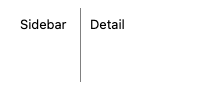
The hairline seam and panes, app-drawn; the wide grab band paints nothing.
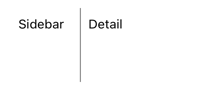
The hairline seam and panes, app-drawn; the wide grab band paints nothing.

The hairline seam and panes, app-drawn; the wide grab band paints nothing.

The hairline seam and panes, app-drawn; the wide grab band paints nothing.
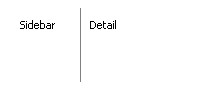
The hairline seam and panes, app-drawn; the wide grab band paints nothing.
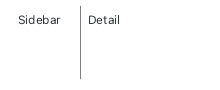
The hairline seam and panes, app-drawn; the wide grab band paints nothing.
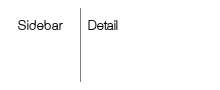
The hairline seam and panes, app-drawn; the wide grab band paints nothing.