UXScrollView
UXScrollView is the generic vertical scroller: a clipped viewport over
a taller document view, with an optional pinned header strip and a
scrollbar (track, arrow boxes, a draggable thumb).
UXTableView and
UXOutlineView are built on it. Put a tall
view in the document and set its height, and the wheel, arrows, paging and
thumb-drag all work.
The document is moved, not re-laid-out. Scrolling sets the document view’s y
to -scrollOffset and the clip cuts it to the viewport. Your content keeps fixed
coordinates, and the ordinary hit test finds it where it is drawn.
On backends that scroll natively (Win32, AppKit, GTK, iOS, Android) a native container
overlays this whole subtree and owns the offset, and the custom bar never draws. On
GEM the bar is a G_SCROLL the AES draws (its arrows, track and thumb from the
theme), with the toolkit handling the press where GEM drew each part. Headless, the
toolkit draws the bar itself.
A click or a hover over the document reaches the view under it in the document’s
coordinates on every backend, whether the toolkit or a native container scrolled it,
and whether the event is real or passed to
UXWindow.dispatchMouse by your own
code. A view does not add scrollPx() itself.
#use <UXKit>Overview
Section titled “Overview”UXScrollView* sv = new UXScrollView();content.addSubview(sv, UXGeom.make(8, 8, 300, 200));
BigCanvas* big = new BigCanvas();sv.document().addSubview(big, UXGeom.make(0, 0, 300, 900));sv.setDocumentHeight(900);sv.setLineHeight(18); // the arrow/wheel stepTopics
Section titled “Topics”The document · document · setDocumentHeight · setHeaderView · setLineHeight Motion · scrollTo · scrollByLines · touch panning Appearance · setCornerRadius · setBorderRGB · clearBorder Geometry · contentPx · viewportPx · scrollPx · maxScroll · needsBar
document
Section titled “document”UXView* document(void)The view your content goes in. Add subviews at their natural, fixed coordinates. Scrolling moves the document, not them.
setDocumentHeight
Section titled “setDocumentHeight”void setDocumentHeight(i32 h)The height of the content. All the scroll geometry derives from this number. Update it whenever the content grows.
setHeaderView
Section titled “setHeaderView”void setHeaderView(UXView* hv, i16 h)A strip pinned above the viewport, such as a table’s column header. It does not scroll with the document.
setLineHeight
Section titled “setLineHeight”void setLineHeight(i16 h)The arrow-click and wheel-notch step. A table sets its row height here so an arrow click moves one row.
scrollTo
Section titled “scrollTo”void scrollTo(i16 off)Scrolls to an absolute offset, clamped to [0, maxScroll]. This is the only
place a scroll is announced; every other motion goes through it.
scrollByLines
Section titled “scrollByLines”void scrollByLines(i32 lines)Relative motion in line-height steps, used by arrows, wheel notches and the keyboard.
Touch panning
Section titled “Touch panning”On iOS and Android the content follows the finger. A drag that starts anywhere in the document scrolls it by the finger’s travel, including a drag that starts on a row which took the press (the drag climbs the responder chain to the scroll view). It is measured from where the finger went down. With a mouse, scrolling stays with the bar and the wheel, and a press on the scroll view’s background climbs on as before.
setCornerRadius
Section titled “setCornerRadius”void setCornerRadius(i32 r)A rounded panel: the scroll view clips its content and its scroller to a rounded
rectangle of radius r, as a browser panel with border-radius and
overflow: auto does, and the scroller runs between the corners rather than into
them. 0 is square. It is read when the tree next realises, so display in the
same turn.
Every backend rounds it except GEM, whose clip is a rectangle. On AppKit the
native scroll view is clipped by its layer, on Win32 the native scroll
container is clipped by a window region, and on GTK the GtkScrolledWindow
is rounded by its own CSS, with its overflow hidden, and on iOS the
UIScrollView by its layer. On Android the ScrollView clips what it
scrolls to the rounded shape and strokes the edge over it. The web draws the
scroll view itself, so it clips the subtree to the rounded shape.
setBorderRGB / clearBorder
Section titled “setBorderRGB / clearBorder”void setBorderRGB(i32 r, i32 g, i32 b)void clearBorder(void)A 1-pixel edge in this colour that follows the rounding, or none. Where the toolkit draws the scroll view, the edge sits just inside the frame and the content is inset by a pixel to clear it. With neither a radius nor an edge, AppKit and Win32 draw their usual border. On Win32 a radius with no edge colour draws the edge in the system’s window-frame colour.
contentPx
Section titled “contentPx”i32 contentPx(void)The document height, as set.
viewportPx
Section titled “viewportPx”i32 viewportPx(void)The visible height (the clip’s, minus any header).
scrollPx
Section titled “scrollPx”i32 scrollPx(void)The current scroll offset. On a native backend the container holds the real value, because the user can drag its scroller without the toolkit being told. This method asks the driver rather than reporting the last value the toolkit set.
maxScroll
Section titled “maxScroll”i32 maxScroll(void)The largest valid offset (zero when the document fits).
needsBar
Section titled “needsBar”bool needsBar(void)Whether the content overflows the viewport. The bar hides when it does not.
Platform appearance
Section titled “Platform appearance”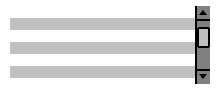
The toolkit’s scrollbar: track, arrows, and the proportional thumb over the clipped document.
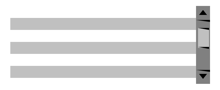
A native UIScrollView: UIKit’s pan, momentum, bounce and scroll indicator. Native controls inside the scroll view scroll and clip with it.
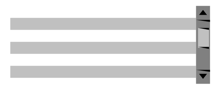
A native ScrollView: Android’s drag, fling, edge effect and scrollbar. Native controls inside the scroll view scroll and clip with it.

A native scroll container owns the clipping; the platform’s overlay scrollers appear on interaction.
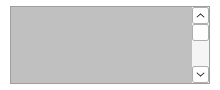
A native scroll child window with system scrollbars.
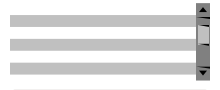
A native GtkScrolledWindow: GTK’s own scrollbar, kinetic scrolling and overshoot. Native controls inside the scroll view scroll and clip with it.
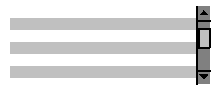
The toolkit’s scrollbar: track, arrows, and the proportional thumb over the clipped document.
Example
Section titled “Example”Reveal a row from code. This works because scrollTo is the single path for
every scroll:
void revealRow(i32 row) { i32 y = row * rowH; if (y < sv.scrollPx()) { sv.scrollTo(y); } else if (y + rowH > sv.scrollPx() + sv.viewportPx()) { sv.scrollTo(y + rowH - sv.viewportPx()); }}