UXCollectionView
UXCollectionView is the icon grid: items of a fixed size flow left to
right and wrap into rows to fill the width, the layout the Finder
desktop and icon browsers use. The grid arithmetic (how many
columns fit, each item’s rectangle, the total content height a scroll
view asks for) and the hit test are pure geometry, unit-tested without a
window. Multi-selection rides
IndexSet, the same machinery the
table uses.
#use <UXKit>Overview
Section titled “Overview”UXCollectionView* grid = new UXCollectionView();for (i32 i = 0; i < docs.count(); i = i + 1) { grid.addItem(docs.get(i), docs.nameAt(i));}grid.setAction(&controller.onPick);scroll.document().addSubview(grid, UXGeom.make(0, 0, 400, 0));scroll.setDocumentHeight(grid.contentHeightFor(400));A plain click selects one item; a shift-click toggles it into the selection; a click in the gaps deselects everything. The action fires on selection; the handler reads it back:
void onPick(UXControl* sender) { UXCollectionView* g = (UXCollectionView* ?)sender; open(g.itemAt(g.firstSelected()).obj);}Conforms to
Section titled “Conforms to”- Inherits
UXControl: theweak:callback action, enablement, the fire path.
Topics
Section titled “Topics”Items · addItem · clear · count · itemAt Grid · setItemSize · setSpacing · setInset · columnsFor · layout · contentHeightFor · itemAtPoint Selection · selectItem · addToSelection · toggleSelection · deselectAll · isSelected · selectionCount · firstSelected
addItem
Section titled “addItem”void addItem(Object* obj, u8* label)Appends an item: your object (returned untouched at selection time) and the label drawn under its tile.
void clear(void)Empties the grid and the selection.
i32 count(void)How many items the grid holds.
itemAt
Section titled “itemAt”UXCollectionItem* itemAt(i32 i)The item: your obj, the label, and the laid-out frame (see
UXCollectionItem).
setItemSize
Section titled “setItemSize”void setItemSize(i16 w, i16 h)The fixed tile size (64×64 by default).
setSpacing
Section titled “setSpacing”void setSpacing(i16 h, i16 v)The gaps between tiles, horizontally and vertically.
setInset
Section titled “setInset”void setInset(i16 v)The margin around the whole grid.
columnsFor
Section titled “columnsFor”i32 columnsFor(i16 width)How many columns fit in width, never fewer than one.
layout
Section titled “layout”void layout(i16 width)Places every item into its row and column and computes the content height. Pure geometry; the tests call it with no window.
contentHeightFor
Section titled “contentHeightFor”i32 contentHeightFor(i16 width)The total height the laid-out grid needs at width, the value you
pass to a UXScrollView’s
setDocumentHeight.
itemAtPoint
Section titled “itemAtPoint”i32 itemAtPoint(i16 px, i16 py)The item under a local point, -1 in the gaps. A click between tiles
deselects, as in an icon view.
selectItem
Section titled “selectItem”void selectItem(i32 i)Selects this item and no other (the plain-click behaviour).
addToSelection
Section titled “addToSelection”void addToSelection(i32 i)Adds without clearing: the programmatic half of multi-selection.
toggleSelection
Section titled “toggleSelection”void toggleSelection(i32 i)Flips the item in or out (the shift-click behaviour).
deselectAll
Section titled “deselectAll”void deselectAll(void)Clears the selection.
isSelected
Section titled “isSelected”bool isSelected(i32 i)Whether the item is in the selection.
selectionCount
Section titled “selectionCount”i32 selectionCount(void)How many items are selected.
firstSelected
Section titled “firstSelected”i32 firstSelected(void)The lowest selected index, -1 when nothing is.
Platform appearance
Section titled “Platform appearance”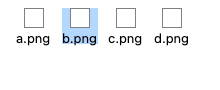
App-drawn through the shared drawRect seam: the same rendering on every backend, captured here from this platform’s own paint path.
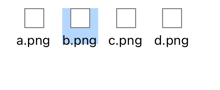
App-drawn through the shared drawRect seam: the same rendering on every backend, captured here from this platform’s own paint path.
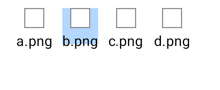
App-drawn through the shared drawRect seam: the same rendering on every backend, captured here from this platform’s own paint path.
App-drawn through the shared drawRect seam: the same rendering on every backend, captured here from this platform’s own paint path.
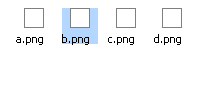
App-drawn through the shared drawRect seam: the same rendering on every backend, captured here from this platform’s own paint path.
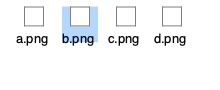
App-drawn through the shared drawRect seam: the same rendering on every backend, captured here from this platform’s own paint path.
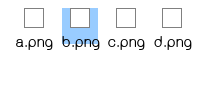
App-drawn through the shared drawRect seam: the same rendering on every backend, captured here from this platform’s own paint path.
Example
Section titled “Example”An icon browser over a scroll view:
UXScrollView* sv = new UXScrollView();content.addSubview(sv, UXGeom.make(8, 8, 400, 260));
UXCollectionView* grid = new UXCollectionView();grid.setItemSize(72, 72);grid.setSpacing(20, 20);for (i32 i = 0; i < images.count(); i = i + 1) {    grid.addItem(images.get(i), images.nameAt(i));}grid.setAction(&controller.onPick);i32 h = grid.contentHeightFor(400);sv.document().addSubview(grid, UXGeom.make(0, 0, 400, h));sv.setDocumentHeight(h);