UXBreadcrumb
UXBreadcrumb is a horizontal row of clickable segments separated by a
glyph, such as Home > Documents > Reports. It works for any navigation path,
not only a file system’s. When the segments do not fit the width it elides
the middle: the first segment stays, an ellipsis stands in, and as many
trailing segments as fit remain. This matches Finder’s path bar, because the
most useful parts of a path are where you started and where you are.
A click selects a segment and fires the action. The app reads
selection (and tagAt) to navigate, the way a table
reports its selected row. The widget is app-drawn (kind is View), so it is
identical on every backend. The layout (segment rectangles, elision, hit boxes)
is pure geometry and can be unit-tested without a window.
#use <UXKit>Overview
Section titled “Overview”UXBreadcrumb* path = new UXBreadcrumb();path.addSegment((u8*)"Home", 1);path.addSegment((u8*)"Documents", 42);path.addSegment((u8*)"Reports", 97);path.setAction(&controller.onNavigate);content.addSubview(path, UXGeom.make(8, 8, 280, 20));The action fires after the selection is set. The handler reads the tag, the stable id that survives renames and reordering:
void onNavigate(UXControl* sender) { UXBreadcrumb* bc = (UXBreadcrumb* ?)sender; openNode(bc.tagAt(bc.selection()));}Conforms to
Section titled “Conforms to”- Inherits
UXControl: theweak:callback action, enablement, the fire path.
Topics
Section titled “Topics”Segments · addSegment · clear · count · titleAt · tagAt Selection · selection Appearance · setSeparator · setCharWidth Geometry · layout · segmentAtLocalX
addSegment
Section titled “addSegment”void addSegment(u8* title, i32 tag)Appends a segment. The tag is yours (a node id, a directory handle) and is
reported back through tagAt on a click.
void clear(void)Empties the path and clears the selection. A navigation calls this before rebuilding the trail.
i32 count(void)How many segments the path holds, elided ones included. Elision affects only the display, not the model.
titleAt
Section titled “titleAt”u8* titleAt(i32 i)The segment’s title.
i32 tagAt(i32 i)The segment’s tag, which a navigation handler uses.
selection
Section titled “selection”i32 selection(void)The clicked segment’s index, -1 before any click.
setSeparator
Section titled “setSeparator”void setSeparator(u8* s)The glyph drawn between segments (> by default).
setCharWidth
Section titled “setCharWidth”void setCharWidth(i16 w)The per-character width estimate the layout measures with. The default suits the shared UI font. A backend with real metrics can refine it.
layout
Section titled “layout”void layout(i16 width)Places segments within width. If everything fits (or there are two or fewer
segments), they run left to right. Otherwise the layout shows the first segment,
an ellipsis, and as many trailing segments as fit. It is pure geometry: the
tests call it with no window.
segmentAtLocalX
Section titled “segmentAtLocalX”i32 segmentAtLocalX(i16 lx)The visible segment under a local x, or -1 outside every box. The ellipsis is
not clickable; it stands for the segments that do not fit.
Platform appearance
Section titled “Platform appearance”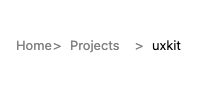
App-drawn through the shared drawRect seam, so the rendering is the same on every backend. Captured from this platform’s own paint path.
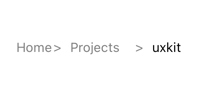
App-drawn through the shared drawRect seam, so the rendering is the same on every backend. Captured from this platform’s own paint path.
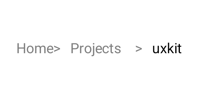
App-drawn through the shared drawRect seam, so the rendering is the same on every backend. Captured from this platform’s own paint path.
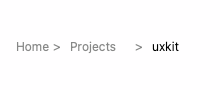
App-drawn through the shared drawRect seam, so the rendering is the same on every backend. Captured from this platform’s own paint path.
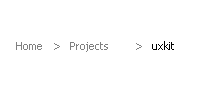
App-drawn through the shared drawRect seam, so the rendering is the same on every backend. Captured from this platform’s own paint path.
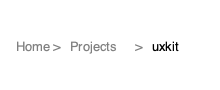
App-drawn through the shared drawRect seam, so the rendering is the same on every backend. Captured from this platform’s own paint path.
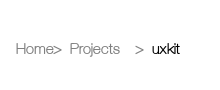
App-drawn through the shared drawRect seam, so the rendering is the same on every backend. Captured from this platform’s own paint path.
Example
Section titled “Example”A file browser keeping its trail in sync:
void showFolder(Node* n) {    path.clear();    for (Node* a = n.root(); a != (Node*)0; a = a.childToward(n)) {        path.addSegment(a.name(), a.id());    }    path.setNeedsDisplay();}
void onNavigate(UXControl* sender) {    UXBreadcrumb* bc = (UXBreadcrumb* ?)sender;    showFolder(tree.nodeById(bc.tagAt(bc.selection())));}