UXButton
UXButton is the toolkit’s push button. You give it a title and an
action (a callback bound to your controller), and the platform provides
the rest: GEM’s AES themes it, Win32 realizes a BUTTON child window, macOS
overlays a real NSButton, iOS a real UIButton, and the web backend draws the
toolkit’s neutral art on canvas. You write no drawing code and no platform code.
#use <UXKit>Overview
Section titled “Overview”A button is the smallest complete example of the toolkit’s control model:
UXButton* b = new UXButton();b.setTitle((u8*)"Apply");b.setAction(&controller.onApply); // a method, bound to its receivercontent.addSubview(b, UXGeom.make(8, 50, 56, 18));(Number literals bind to the parameter’s type, so UXGeom.make(8, 50, 56, 18)
needs no casts. Explicit (i16) casts that appear in some toolkit sources are
not required.)
The action is a callback (callback void(UXControl* sender)).
&controller.onApply carries both the receiver and the code, so there is no
selector, no downcast, and no separate target field. A callback never owns its
receiver, which has two consequences:
- No retain cycle.
window → tree → button → action → controller → windowwould cycle if the action were strong. The callback’s weakness breaks the cycle (AppKit needs a separate weaktargetfor the same job). - A dead controller is a silent no-op. The truth test
if (action)is false both when no action is set and when the receiver has been deallocated. A fired button whose controller died does nothing, instead of dispatching into a stale object.
How a press becomes your method. On backends where the button is a real
native control (Win32, macOS, iOS), the OS notifies the driver (BN_CLICKED,
an NSButton action, a UIButton target-action), and the driver fires the
neutral widget directly by handle and node (fire-by-peer). Your onApply runs
without a synthetic click or hit-test. On GEM and the web, the press arrives as
an ordinary event, routes through the shared tree hit-test to
mouseDown, and fires the same way. Both paths end at
action(self).
A disabled button (setEnabled on the view
surface) consumes nothing and fires nothing.
Conforms to
Section titled “Conforms to”- Inherits
UXControl: the title/action surface and the fire path. - Through it,
UXView: frame, hierarchy, hide/enable, the responder chain.
Topics
Section titled “Topics”Configuring · setTitle · setAction Realization · kind · attachTo Events · mouseDown · fire
setTitle
Section titled “setTitle”void setTitle(u8* s)The label the platform renders. The string is borrowed, not copied. Keep it alive for the button’s lifetime (a literal, the common case, is always fine).
setAction
Section titled “setAction”void setAction(callback a void(UXControl* sender))The callback to fire: b.setAction(&controller.onApply), where the method has
the matching shape void onApply(UXControl* sender). The receiver is never
owned and auto-zeroes when it dies. The overview explains why no other
ownership handling is needed.
UXKind kind(void)Answers UXKindButton, the neutral kind realizeTree
maps to the platform’s native button.
attachTo
Section titled “attachTo”void attachTo(UXViewTree* t, UXRect frame)Realizes the button into the tree at frame and stores the widget as the
node’s peer. The peer lets a native backend fire it by handle+node with no
hit-test.
mouseDown
Section titled “mouseDown”void mouseDown(UXEvent* e)The neutral press path (GEM, web, and every headless test). It consumes the
click (a control never passes its click up the chain) and calls
fire if enabled.
void fire(void)Runs the action with the button as sender. The call is false-guarded, so an
unset action and a deallocated receiver are both quiet no-ops.
Platform appearance
Section titled “Platform appearance”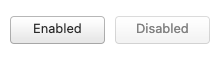
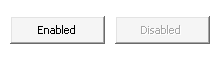
The Aristo theme’s 9-sliced button face from the GEM atlas, title centred by real measurement. This is the artwork GEM draws, on canvas.
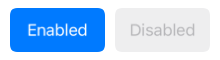
A real UIButton (filled configuration), captured from the simulator’s own render.
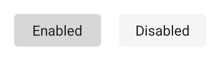
A real android.widget.Button, realized over JNI and fired through the platform’s own OnClickListener (the committed bridge dex). Captured from the emulator’s own render.
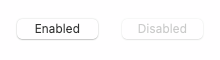
A real NSButton overlay.
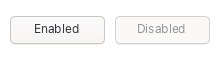
A real BUTTON child window with the system look.
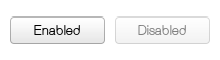
A real GtkButton, fired through its own clicked signal. GTK draws its own widgets, so this capture is the Linux look wherever GTK4 runs.
The AES’s themed G_BUTTON. The toolkit writes no pixels.
All captures are produced by frameworks/uxkit/tools/capture/capture.sh: the
same posed scene per platform, regenerated, never hand-shot.
Example
Section titled “Example”A controller whose callback counts presses. This is the complete wiring, on any backend:
#use <UXKit>#import <Stdio.xc>
class Controller : Object <UXApplicationDelegate>{    weak:UXApplication* app;    i32 presses;
    i32 applicationDidStart(UXApplication* a) {        app = a;        UXView* content = new UXView();        UXWindow* win = new UXWindow();        a.addWindow(win);        win.open((u8*)"Buttons", UXGeom.make(10, 10, 200, 100), content);
        UXButton* b = new UXButton();        b.setTitle((u8*)"Press me");        b.setAction(&self.onPress);        content.addSubview(b, UXGeom.make(8, 8, 90, 24));
        win.tree.finalise();        win.displayAll();        return 0;    }
    void onPress(UXControl* sender) {        presses = presses + 1;        Stdio.printf("pressed %d time(s)\n", presses);    }}
void main(void) {    UXApplication* app = new UXApplication();    app.setDriver(new UXWebDriver());        // the ONE platform-aware line    Controller* c = new Controller();    app.setDelegate(c);    app.run();}